Paste anything.
We'll build the trip.
Screenshot a dive operator's website. Drop in a URL. Paste a message where the diving was mentioned in passing. DeepSix Dive Log reads whatever you have and builds a structured planned trip — sites geocoded, descriptions generated, everything cached for offline use before you leave home.
Start with whatever you have.
Tap + to start a trip. Three input methods — attach a screenshot or photo, attach a PDF, or paste from clipboard. Or just type a URL or paste text directly. The parser handles the rest.
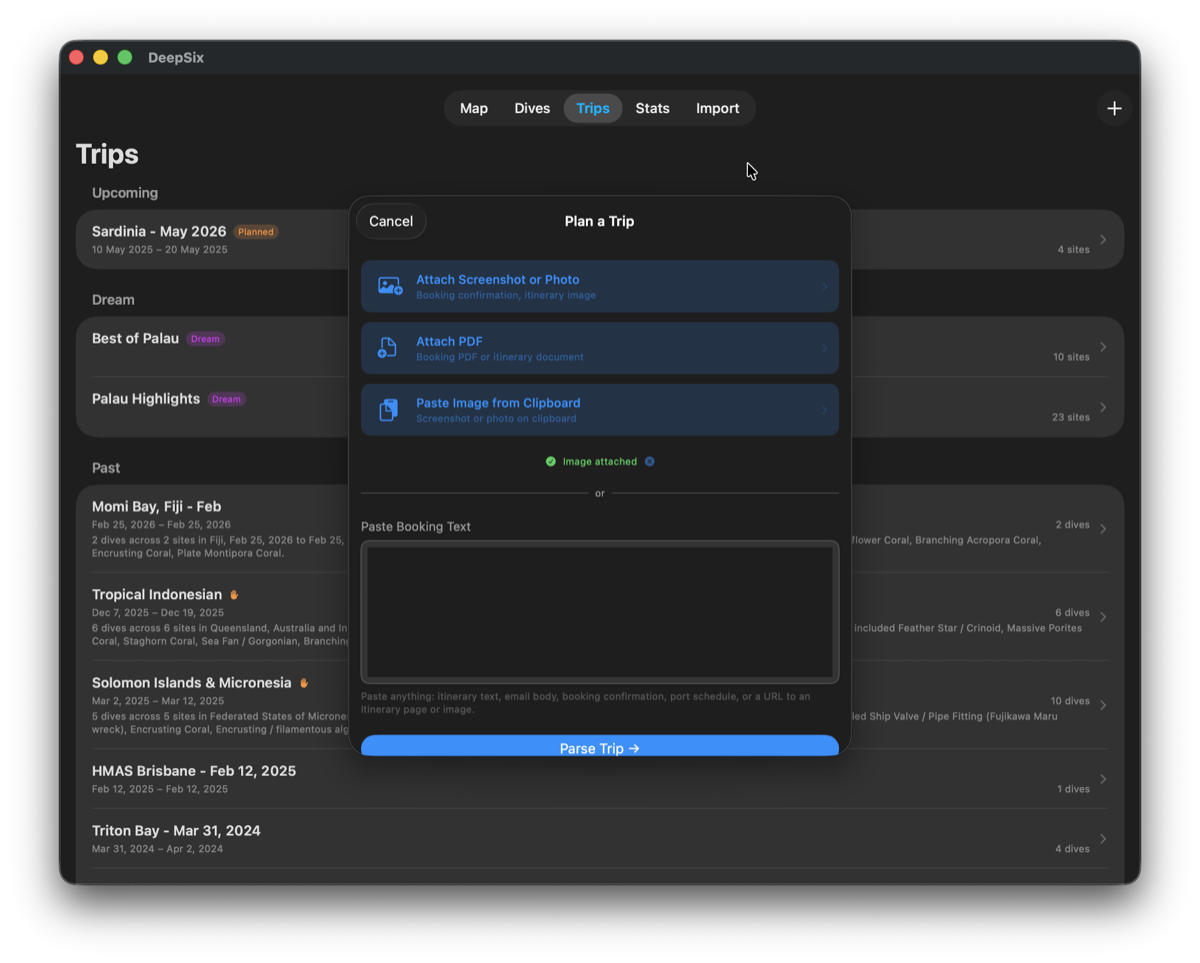
The Plan a Trip dialog. Screenshot attached — green confirmation dot indicates the image is ready to parse. The text field also accepts URLs, booking text, email bodies, and port schedules.
Or photograph a dive site map.
23 sites. Zero typing.
The Palau Highlights operator map — a static marketing graphic with labeled dive flag pins. No coordinates. No text field. Just the image.
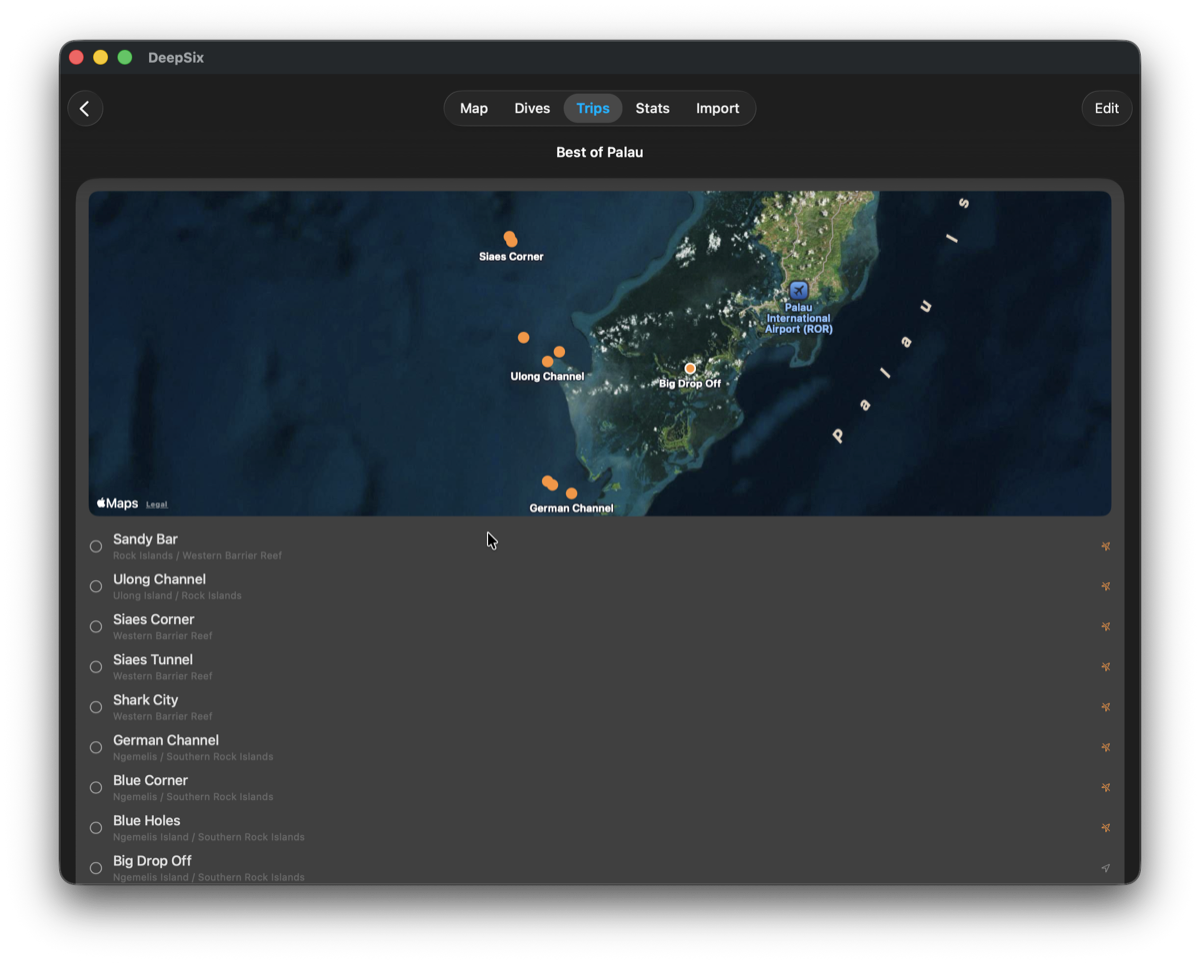
23 sites placed on Apple Maps. Chandelier Caves near Koror. Shark City in the Philippine Sea. Jellyfish Lake on Mecherchar. Each site where it belongs — read from the graphic.
This isn't text extraction. Claude Vision read the site names and their spatial positions from the graphic and resolved each to real-world GPS coordinates. Photograph any operator map — printed brochure, website screenshot, PDF page — and the same thing happens.
Screenshot a website. Vessel inferred from the chat widget.
This is the Aggressor Fleet Brothers/Daedalus/Elphinstone itinerary page — a complex operator website with dense paragraph descriptions, a dive site map, two tabs, and a live chat widget in the corner.
A screenshot was taken and attached to the Trip Planner. No URL was typed. No text was copied. Just a screenshot.
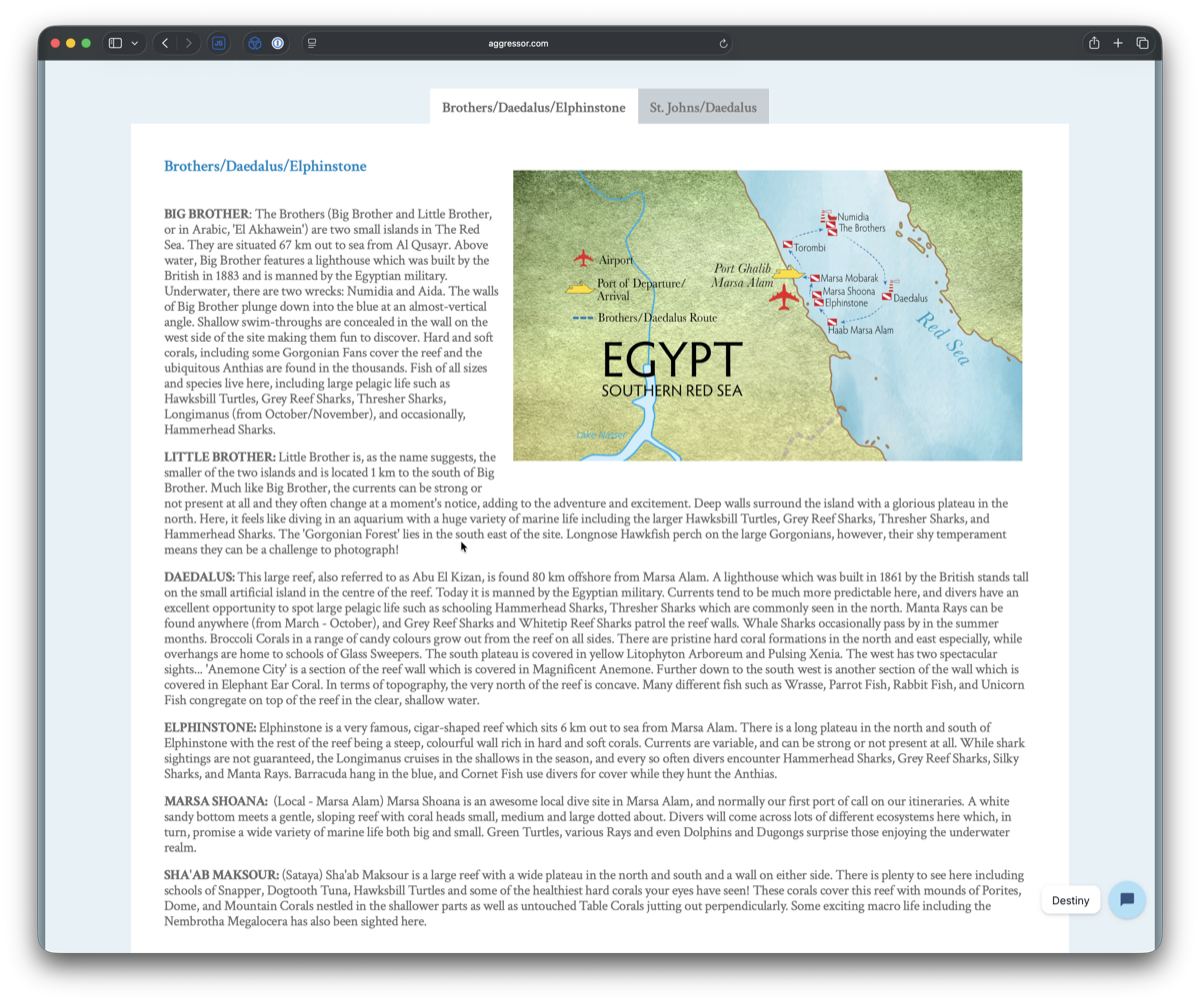
aggressor.com — Brothers/Daedalus/Elphinstone itinerary. Note the live chat widget in the bottom-right corner labeled 'Destiny'.

Review Trip sheet. Name: Brothers/Daedalus/Elphinstone. Vessel: Destiny. Operator: Aggressor Fleet. 6 dive sites geocoded to the Southern Red Sea.
"Vessel name 'Destiny' inferred from chat widget label — confirm this is the assigned liveaboard."
The parser read the chat widget label in the corner of the screenshot and used it as a vessel name inference — then flagged the low confidence in the Missing Info list. It found a detail a human might miss, and was honest about how it found it.
"Two wrecks: Numidia and Aida. Near-vertical walls with shallow swim-throughs on west side. Hard and soft corals including Gorgonian Fans. Large pelagic life: Hawksbill Turtles, Grey Reef Sharks, Thresher Sharks, Longimanus (October/November), occasional Hammerhead Sharks. 67km offshore from Al Qusayr. Strong currents possible."
Site description extracted directly from the operator's page copy and stored on the planned dive site.
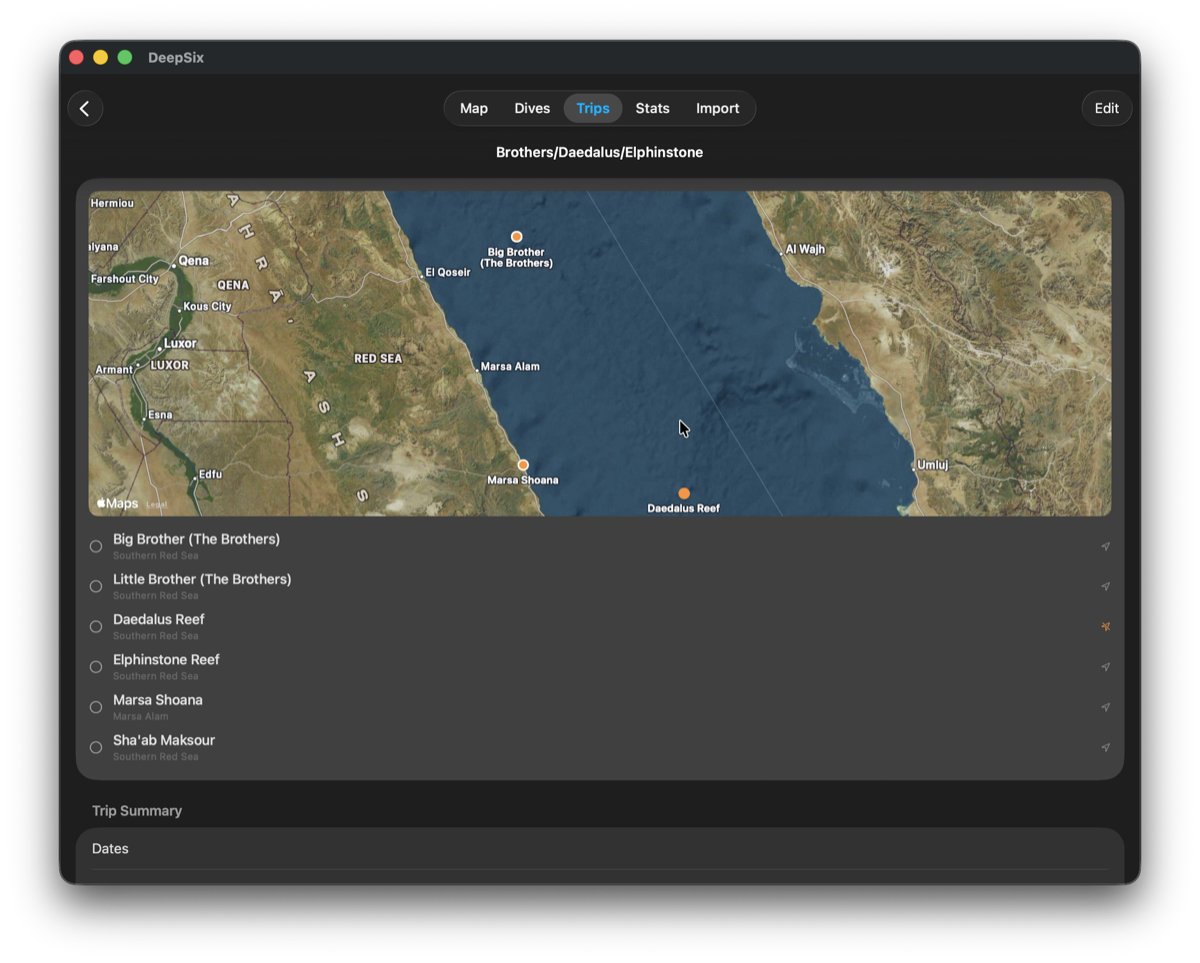
6 sites placed on Apple Maps — Big Brother, Little Brother, Daedalus Reef, Elphinstone Reef, Marsa Shoana, Sha'ab Maksour. Southern Red Sea, Egypt.

📋 Screenshot → Red Sea
Screenshot a website. Vessel inferred from the chat widget.
This is the Aggressor Fleet Brothers/Daedalus/Elphinstone itinerary page — a complex operator website with dense paragraph descriptions, a dive site map, two tabs, and a live chat widget in the corner.
A screenshot was taken and attached to the Trip Planner. No URL was typed. No text was copied. Just a screenshot.
"Vessel name 'Destiny' inferred from chat widget label — confirm this is the assigned liveaboard."
The parser read the chat widget label in the corner of the screenshot and used it as a vessel name inference — then flagged the low confidence in the Missing Info list.
🔗 URL → Palau
Paste a URL. Live page fetched.
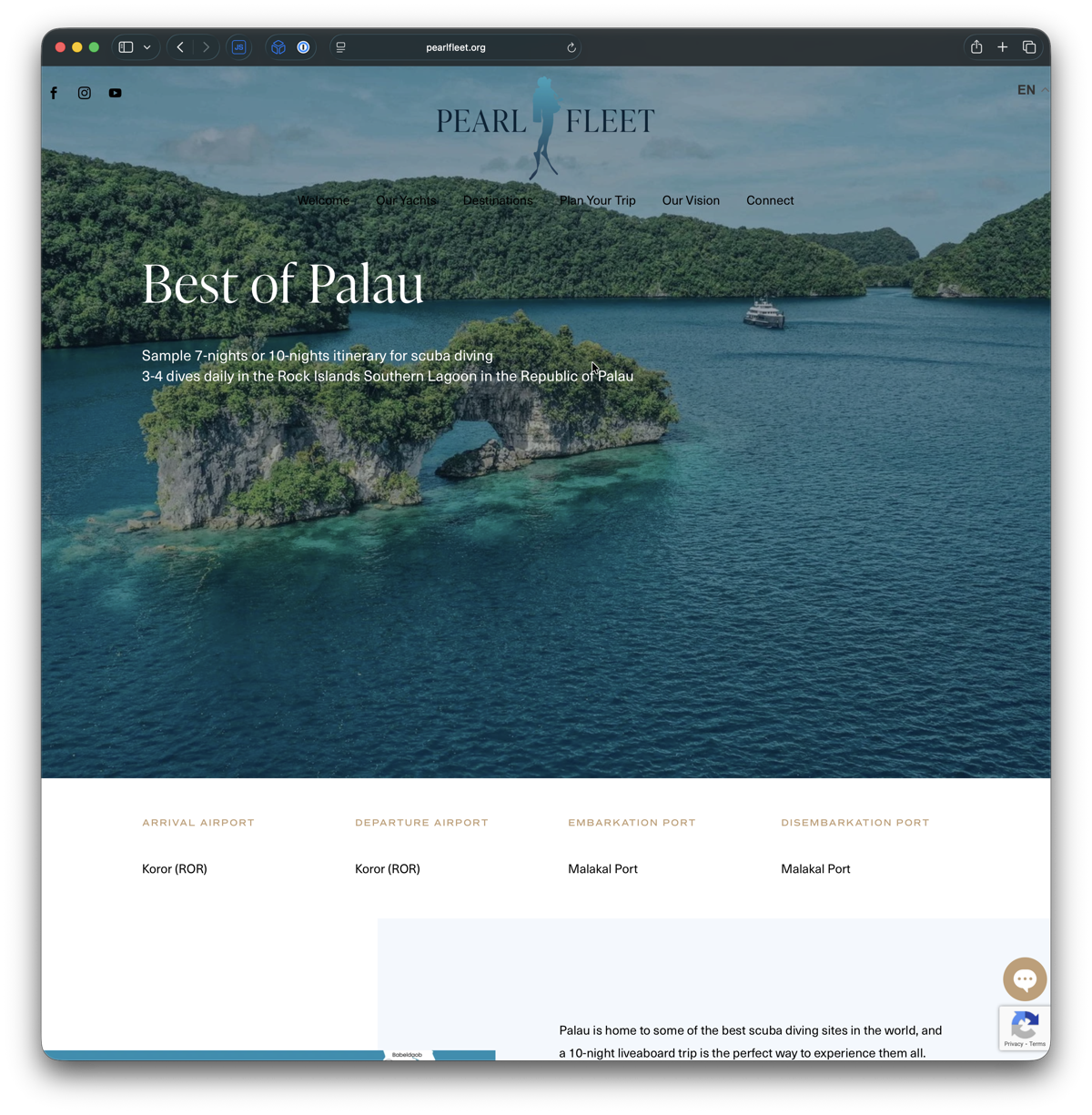
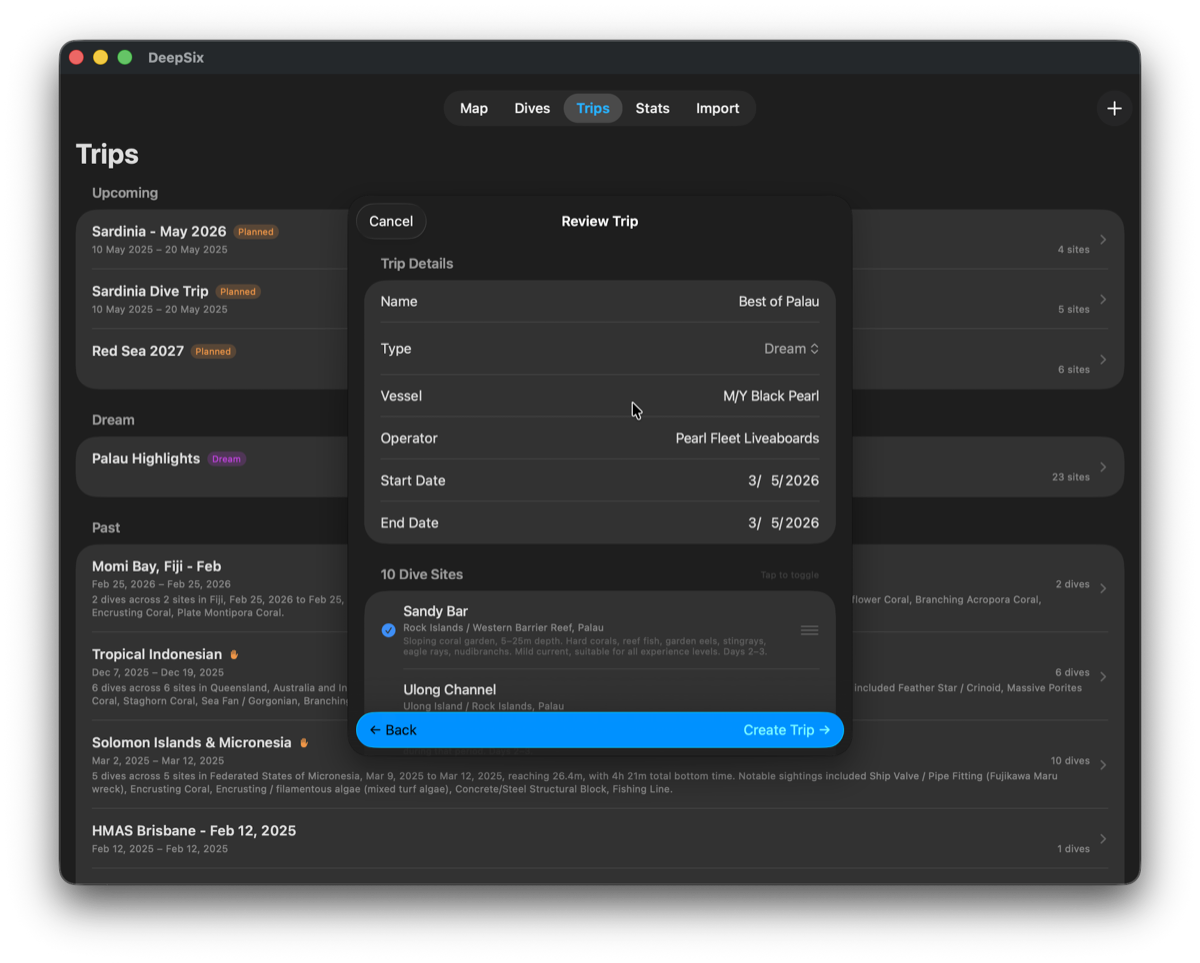
One URL pasted into the text field. DeepSix fetched the Pearl Fleet "Best of Palau" itinerary page live, extracted the operator name, vessel name, and dive site list, generated site descriptions, and built a complete trip.
✉️ Message → Sardinia
Paste a message. Even if the diving was an afterthought.
This is a message from a diver's wife — holiday planning advice where the dive sites were incidental to the itinerary. DeepSix built a 5-site Sardinian dive trip from it anyway.
San Teodoro (May 10–12): Tavolara Island marine protected area right offshore — crystal clear water, walls and caves.
Cala Gonone (May 12–15): The crown jewel. Gulf of Orosei sea caves, the famous Grotta del Bue Marino.
Alghero (May 15–18): Capo Caccia is stunning — walls dropping to 40m, the Neptune's Cave area.
Villasimius (May 18–20): Capo Carbonara Marine Protected Area — coral, wrecks, and brilliant sea life.

It tells you what it couldn't figure out.
After parsing, DeepSix generates a Missing Info list — specific questions about your trip that couldn't be answered from the source material. Not a generic checklist. Questions tailored to what was actually parsed.
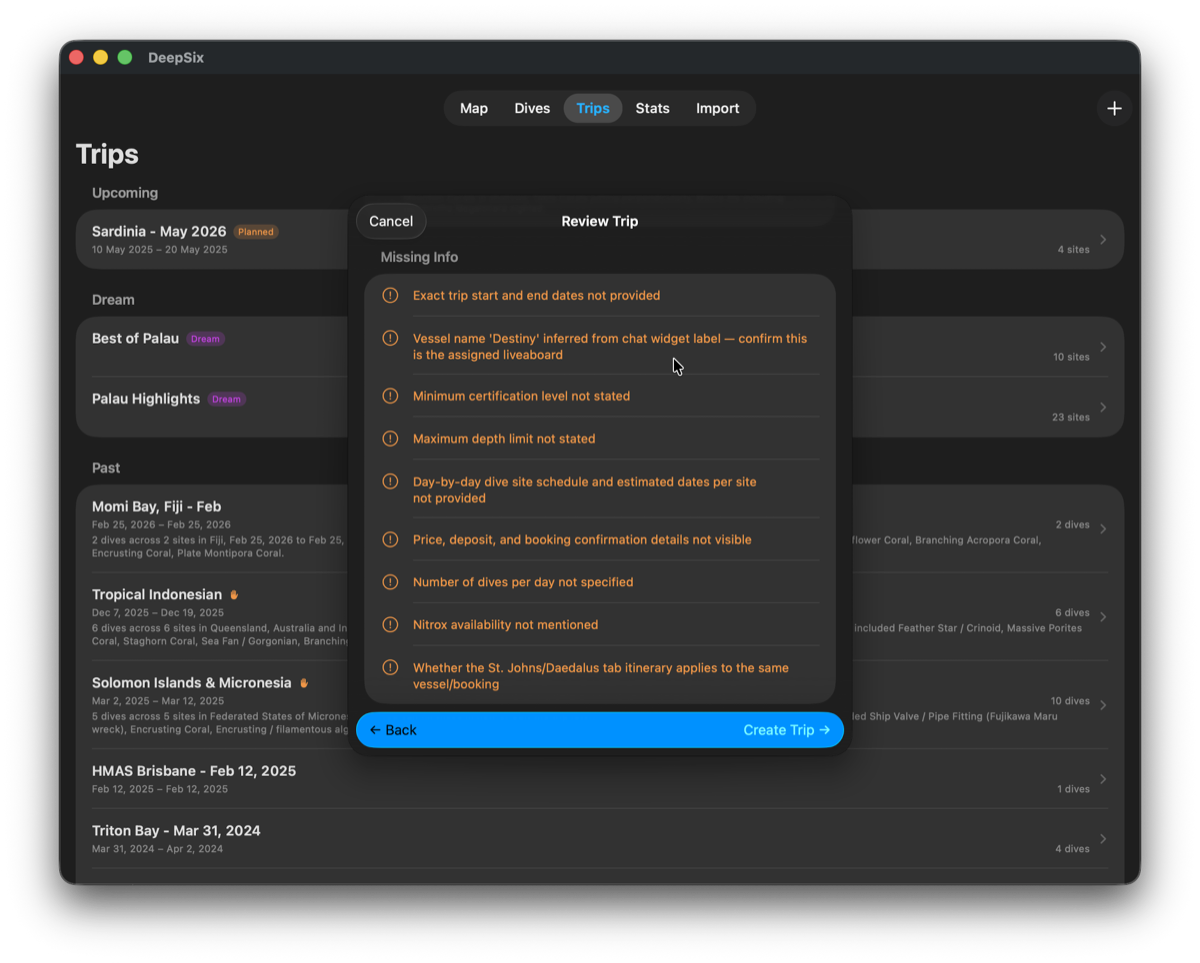
9 questions generated from the Aggressor screenshot. The vessel name inference from the chat widget is flagged explicitly — low confidence, requires confirmation.
The parser noticed the document was truncated and said so. It flagged sites mentioned in the overview that didn't appear in the day-by-day schedule. It identified the chat widget as a potential vessel name source and was explicit about the inference.
These aren't generic warnings. They're specific to what was in the document and what wasn't.
The parse is the start, not the trip.
A parsed trip is fully editable, and it keeps absorbing new information as your plans firm up. Paste the follow-on booking email and it enriches the stops you already have — dates and notes merge in place instead of duplicating or dropping anything. If the booking email names the operator, the trip's operator is set automatically. And when an extracted site name is actually a known wreck, DeepSix resolves it against the wreck dossier — country-aware, alternate designations included — and places the stop at the wreck's real coordinates instead of a coordinate-less stub.
Change a planned dive's date, notes, or site. Edit the trip's vessel and dates. Add, remove, and reorder stops.
Follow-on documents enrich the stops you already have in place — no duplicates, nothing dropped.
Sea days and shore days are parsed as real itinerary stops, so the schedule reads like the actual trip.
Allen Coral Atlas reef polygons draw on every planned stop's map — see the reef before you're on it.
Each stop gets its own AI site preview, generated from the source material and what's known about the site.
Planned stops surface wrecks from the dossier database nearby — with pins, histories, and Wikipedia context.
Booked or just browsing. Both belong here.
Every trip is Planned or Dream. Planned trips have confirmed dates and fire the offline preparation pipeline automatically. Dream trips are wishlist destinations — browse reef data and site previews without a booking.
No booking yet. Sites and previews load on demand. Convert to Planned when you book.
Real dates confirmed. Offline preparation fires automatically — maps cached, enrichment complete, conditions prefetched.
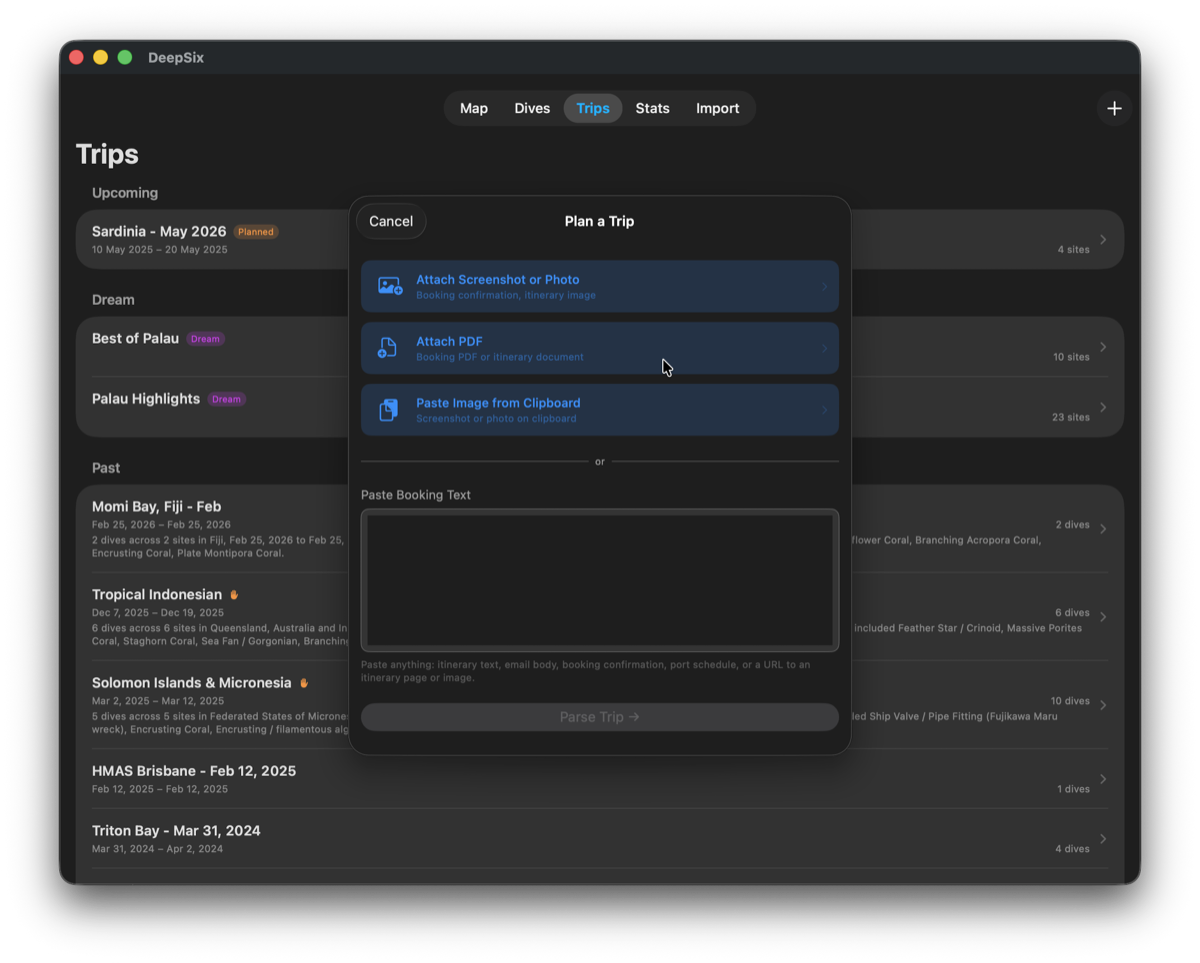
Trips list. Upcoming section shows Planned trips with dates. Dream section holds wishlist destinations — Best of Palau and Palau Highlights both Dream, no booking required.
Everything cached before you leave WiFi range.
Planned trips trigger Trip Preparation — a checklist that resolves every data dependency and caches what's needed. Tap the download button once. GeoNames enrichment, map snapshots, and conditions all prefetch automatically.
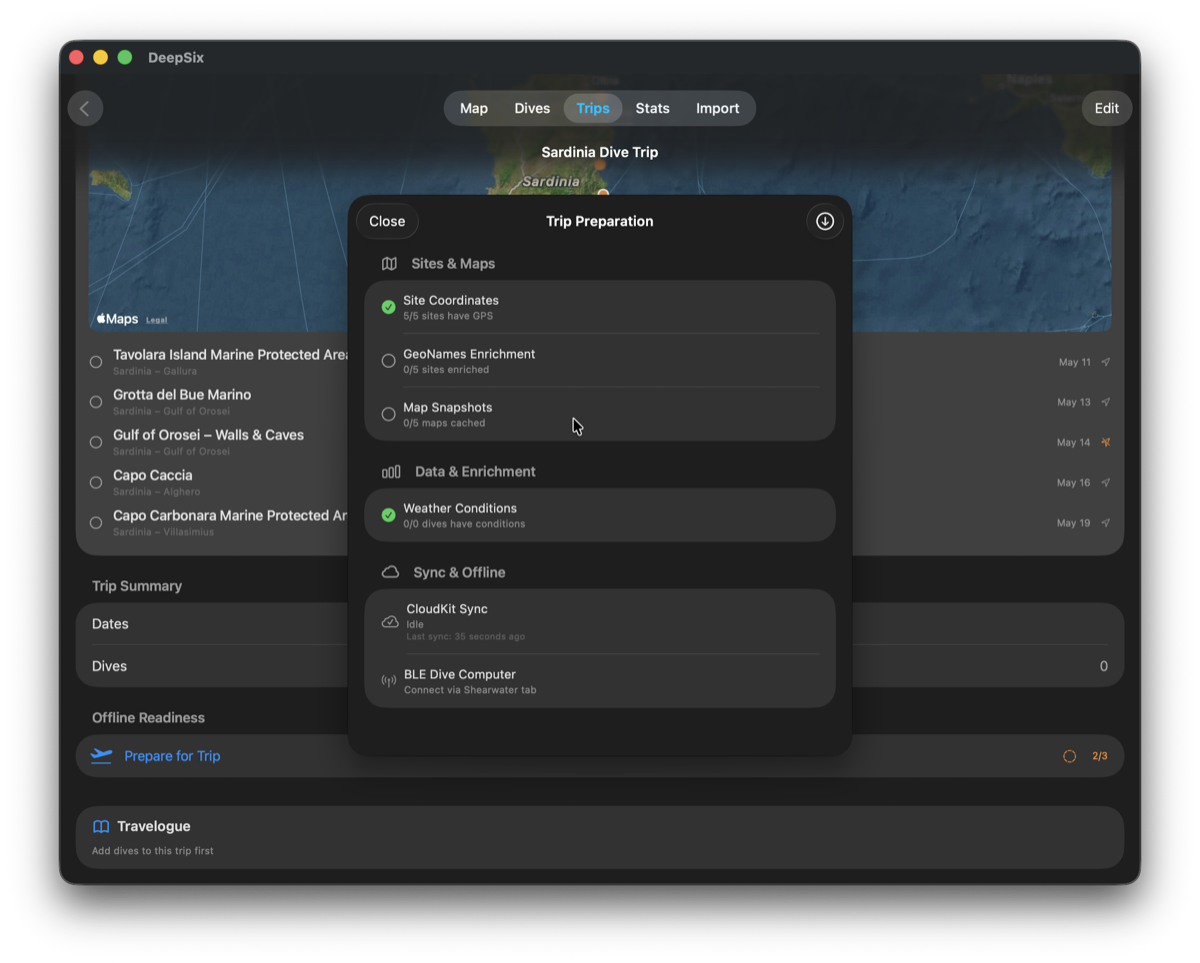
Site Coordinates resolved. GeoNames enrichment and map snapshots pending. CloudKit idle.
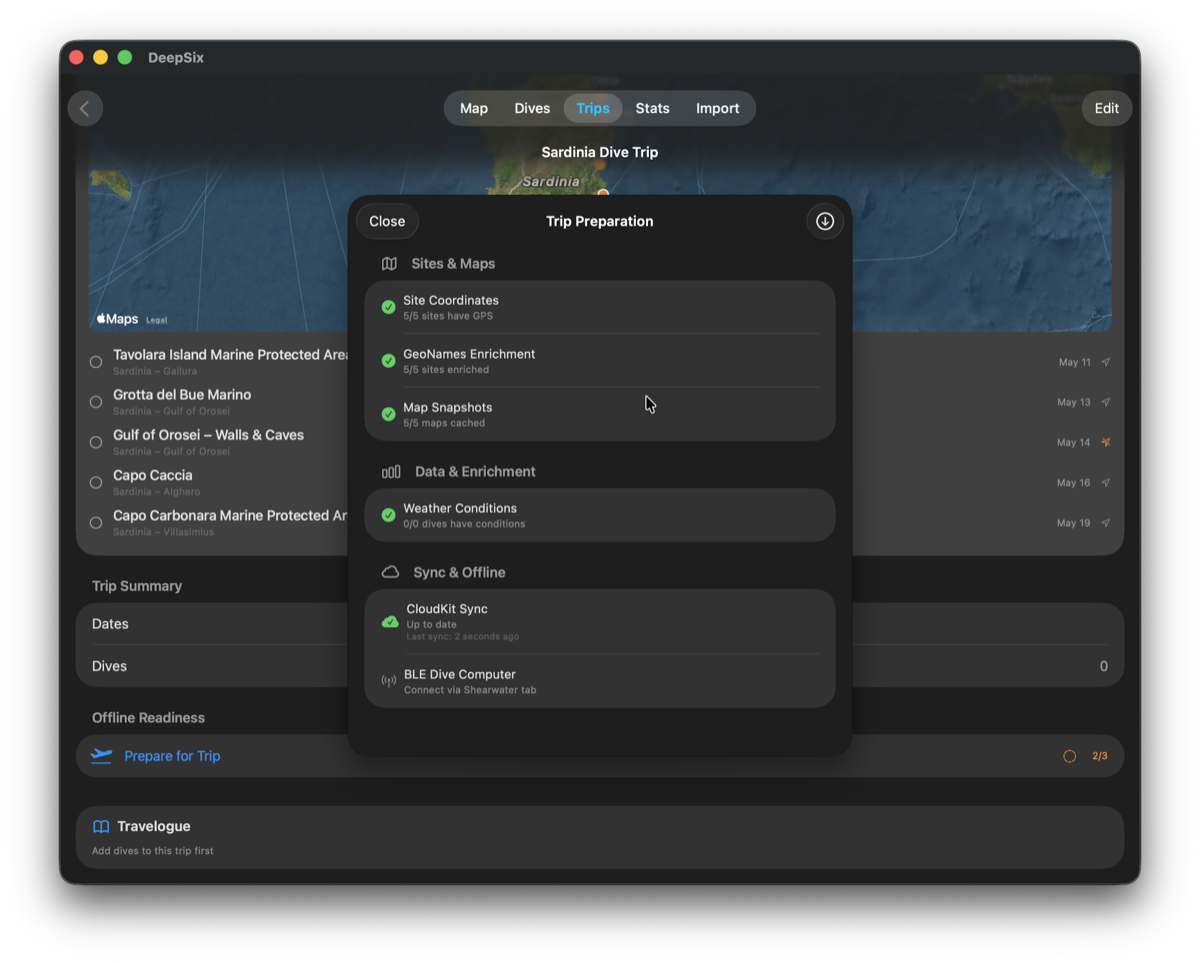
5/5 sites enriched. 5/5 maps cached. CloudKit synced. Offline-ready.
Every planned trip, on one map.
Planned and Dream sites appear on the global dive map alongside your logged dives — orange pins for confirmed sites, gray approximation circles for sites without precise GPS. Your dive history and your future trips in the same view.
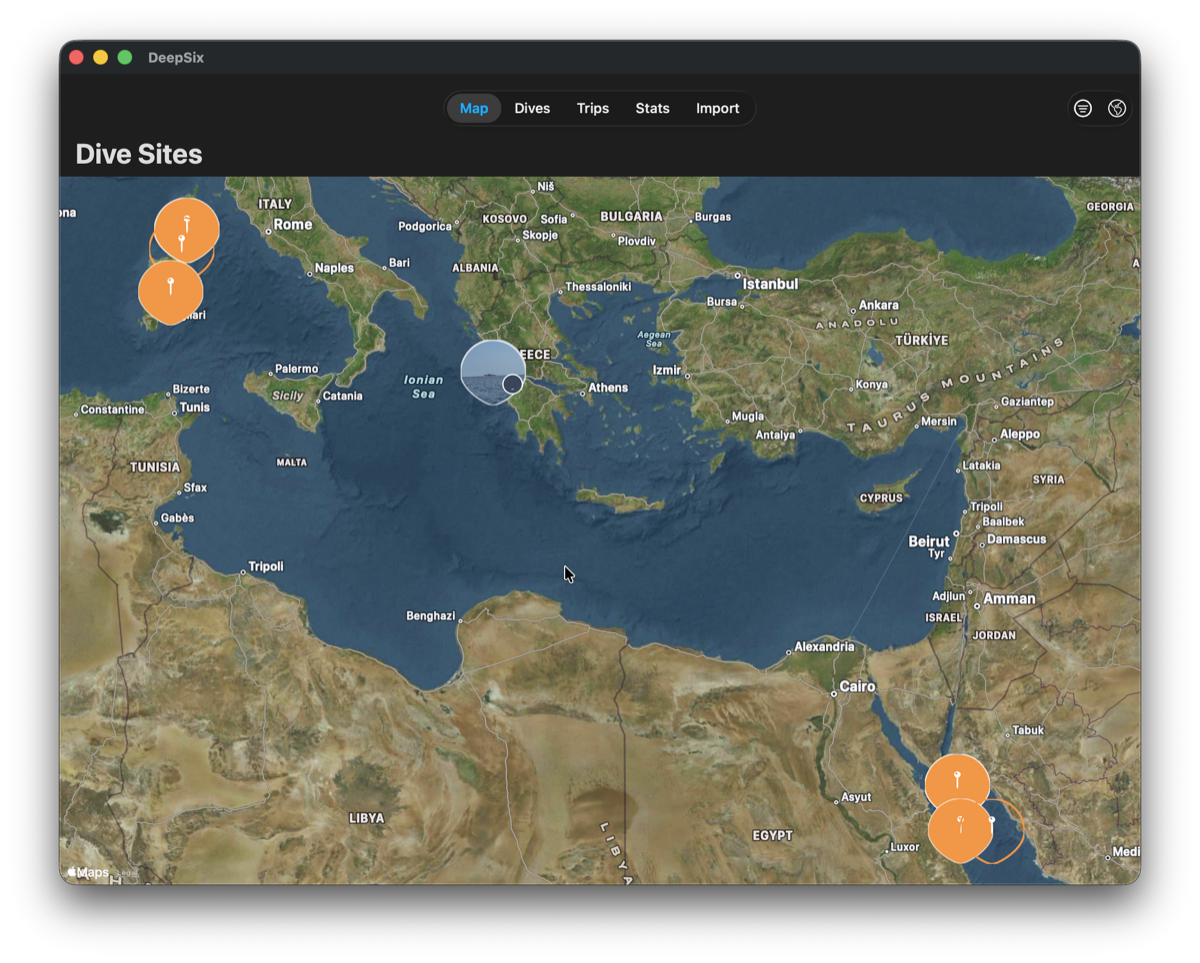
Global map showing planned trips alongside logged dives. Sardinia cluster top-left. Southern Red Sea bottom-right. Gray circle over the Ionian Sea — a planned site pending GPS resolution.
Gray circles indicate planned sites where DeepSix has a region but not a precise coordinate — honest about what it knows. Geocoded and estimated positions carry the same grammar everywhere: a dashed ring, a faded pin, and an "Approximate location" caption on planned-stop maps and trip cards, upgrading automatically as confidence improves.
- ✓ Attach a screenshot, PDF, or image from clipboard
- ✓ Paste a URL — live page fetched and parsed
- ✓ Paste any text — email, message, booking confirmation
- ✓ Operator name, vessel name, and dates extracted automatically
- ✓ GPS coordinates geocoded for every extracted site
- ✓ AI site descriptions generated from source content
- ✓ Missing Info checklist flags gaps specific to your trip
- ✓ Vessel inferred from unexpected sources — and flagged
- ✓ Itinerary fully editable — stops, dates, notes, vessel
- ✓ Follow-on documents merge into the same trip, never duplicate
- ✓ Non-diving and sea days kept in the schedule
- ✓ Operator auto-set from a parsed booking email
- ✓ Wreck site names resolve to real wreck coordinates
- ✓ Per-stop AI previews and "Possible Wrecks Nearby"
- ✓ Planned and Dream trip categories
- ✓ Offline preparation — maps, enrichment, conditions cached
- ✓ All planned sites visible on the global dive map
Works with operator websites, booking confirmations, PDFs, holiday planning messages, liveaboard itineraries, and anything else that mentions a dive site.
Start planning before you book.
Add a Dream trip and DeepSix loads site previews and reef data — so you know what to expect before you commit.
- Achievements →
- AI Features →
- Apple TV →
- DeepSix Dive Log on Mac →
- Garmin FIT Import →
- Gear & Kits →
- GPS Extraction →
- Interactive Dive Map →
- MacDive Import →
- Marine Life ID →
- Photo Color Correction →
- Photos & Memories →
- Reef Context →
- Smart Lists →
- Suunto JSON Import →
- Tides & Conditions →
- Time Reconciliation →
- Translations →
- Wonders →
- Wrecks →